

The best way to keep you, your family, and business safe online. | Developers → @1PasswordDev | Customer Support 👉 https://www.teapawt.net/t.co/pSnf9gdlos
Ontario, Canada
Joined February 2007
- Tweets388K
- Following31
- Followers151K
- Likes20.9K







Pinned Tweet
We’re sharing an update about a recent security incident involving some of 1Password’s backend systems. 𝗡𝗼 𝗰𝘂𝘀𝘁𝗼𝗺𝗲𝗿 𝘃𝗮𝘂𝗹𝘁 𝗰𝗼𝗻𝘁𝗲𝗻𝘁, 𝗶𝗻𝗰𝗹𝘂𝗱𝗶𝗻𝗴 𝘀𝗲𝗰𝗿𝗲𝘁𝘀, 𝗽𝗮𝘀𝘀𝘄𝗼𝗿𝗱𝘀 𝗮𝗻𝗱 𝗼𝘁𝗵𝗲𝗿 𝘃𝗮𝘂𝗹𝘁 𝗶𝘁𝗲𝗺𝘀, 𝗼𝗿 𝘁𝗵𝗲 𝗸𝗲𝘆𝘀 𝘁𝗵𝗮𝘁 𝗽𝗿𝗼𝘁𝗲𝗰𝘁 𝘁𝗵𝗲𝗺 𝘄𝗲𝗿𝗲 𝗮𝗰𝗰𝗲𝘀𝘀𝗲𝗱 𝗼𝗿 𝗰𝗼𝗺𝗽𝗿𝗼𝗺𝗶𝘀𝗲𝗱 𝗱𝘂𝗿𝗶𝗻𝗴 𝘁𝗵𝗶𝘀 𝗶𝗻𝗰𝗶𝗱𝗲𝗻𝘁. We have confirmed that all customer vaults and credentials remain secure. Our services continue operating normally.
Independent cybersecurity experts have been engaged to validate our containment approaches and remediation efforts.
While we took immediate steps to contain the incident, the attacker gained access to some of our backend systems and accessed a limited amount of customer account information from a subset of our customers, including names and email addresses.
No action is required by customers, their 1Password accounts remain secure. As always, please keep alert to unexpected phishing attempts.
Your vault secrets are encrypted with keys that only you hold, so we can’t access them, and they cannot be retrieved from our systems.
You can read more about the steps we’ve taken on our blog at: 1password.com/blog/update-on…

1Password retweeted

“Set Up a Password Manager. No, Really. Now.”
That’s the headline of a @nytimes Opinion essay.
When you build software for a living, that advice can feel basic.
But how many accounts could someone reach through your most reused password? 🧵


What’s the difference between AI chatbots and AI agents? As more and more companies release personal AI agents, there’s never been a better time to find out.
Read 1Password’s latest blog for an overview on how agents work, and how you can use them safely: bit.ly/4feiauj

1Password for Agents gives your agents access without giving up your passwords. When an agent reaches a sign-in form, it requests a credential from your vault. If you approve the request, 1Password directly auto-fills the credential in the destination site so the agent can’t see or take possession of the credentials.
The agent gets the task done, but it doesn’t get your passwords.
Take a listen 🎧

New episode of Random but Memorable is live 🎙️
KC Li, senior director of product management, joins to talk about 1Password for Agents: how agents sign in for you without ever seeing your passwords.
Watch now:
youtube.com/watch?v=o9UDSh4t…

1Password retweeted
Most security incidents don’t start with sophisticated hacks. They start with credentials that have too much access.
Here are 5 practical steps every developer can take to secure their apps, tools, and AI agents. �

AI agents need access to your accounts. But how can you let them use your credentials without putting your security and privacy at risk?
1Password for Agents’ security model gives agents a secure, seamless way to request access and sign in, while making sure that you always stay in control of your information.
🔗Read more here: bit.ly/4sTrZDD
1Password retweeted

1Password’s push into AI met resistance inside the company.
David Faugno (@1PasswordCEO), CEO of @1Password, joined Lightspeed Partner @guruchahal on Cyber60 to discuss the company’s AI strategy.
He said some employees were skeptical when leadership committed to AI two years ago.
David helped connect the strategy to their existing mission: helping customers use emerging technologies safely.
That early work mattered when personal agents began gaining traction. Customers were reluctant to hand over their credentials.
1Password had already been building infrastructure to help agents access accounts while protecting those credentials.
As David puts it, “People want a trust layer” before letting agents act on their behalf.
Check out the full interview down below!
0:00 Welcome to Cyber60
1:29 Why 1Password Shifted to Enterprise
4:22 Scaling From Individual Users to Enterprise
7:37 How AI Is Transforming 1Password
11:28 Balancing Growth and Profitability
15:20 The Funnel Metrics in Cybersecurity
17:41 Building an Executive Team
20:39 Rapid-Fire Questions
Agents need access, not secrets 🤝
Builders came from across the Universe to Barrio in Ghirardelli Square for @1Password Agents After Dark with @databricks .
📷 Great views, great people and great conversations!
#GitHubUniverse #AgentsAfterDark

1Password retweeted
Your platform gets breached.
You’re told to rotate every secret.
Do you know where they all live? What they can access? What breaks when you revoke them?
That’s the cost of credential sprawl.
Here’s how to reduce it as agents take on more work. 🧵

1Password Privileged Access is named as an Honorable Mention in the 2026 @Gartner_inc® Magic Quadrant™ for Privileged Access Management.
As cloud environments become more dynamic, standing access creates risk for every identity, from employees and contractors to service accounts and AI agents.
1Password Privileged Access helps organizations move from permanent permissions to just-in-time, just-enough access for people, workloads, and AI agents.
Read more about the recognition and how 1Password is helping organizations secure access at runtime: bit.ly/4szHdh6


1Password retweeted

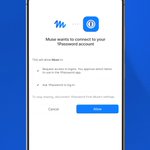
We’ve expanded our @1Password integration. When a task needs a password, you approve access in the app and 1Password fills it in. Your passwords stay in 1Password. We’re gradually rolling this out to all users. To get started, tell your Instinct to “Connect my 1Password.”

Thrilled to be named a Fortune Cyber 60 winner alongside the innovators shaping the future of cybersecurity 🔐

The 4th annual Cyber 60 list is here.
This year’s list recognizes some of the fastest-growing venture-backed cybersecurity startups in the market, building to advance next-gen infrastructure, AI security, and how we approach threat detection.
Congratulations to everyone who made the #Cyber60 list in partnership with @FortuneMagazine and sponsor @AWSstartups.
Read our full CISO survey report, conducted with Wakefield Research, which polled 200 CISOs on enterprise AI and where they’ll invest next: lsvp.com/cyber60-2026-2027/

Come see us @github Universe 👋
