

We build Self-Driving Postgres and help fast-growing startups scale their databases, workloads, and related operations
remote
Joined July 2020
- Tweets150
- Following2
- Followers882
- Likes137





PostgresAI retweeted

Postgres feeling unwell?
Paste one prompt into your AI agent.
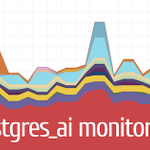
It sets up @postgres_ai monitoring 📊📈
then finds the root cause.
Here: long open transactions holding locks. 26 seconds.
Works with Claude Code, Cursor, Codex, or any agent that runs commands.
Any Postgres: self-managed, Supabase, RDS (+ more coming soon)
link 👇
PostgresAI retweeted
Random UUID primary keys look fine on day one:
id uuid default gen_random_uuid() primary key
At scale, INSERTs run much slower.
Postgres 18.6, 16 clients, single-row inserts, same server:
→ small table: UUIDv4 at 0.95–1.10x of UUIDv7
→ 100M rows: 0.62–0.69x of an ordered key
→ WAL per row: 1.5–1.9x
→ index size: +33% vs UUIDv7
Each UUIDv4 insert lands on a random leaf, so the whole index is hot.
Past memory, almost every insert reads a page and evicts another one.
Postgres 18 has uuidv7(). For an existing table, one statement under a short lock_timeout:
alter table t alter column id set default uuidv7();
7 runs, 14 hypotheses written down before the first row. Link below 👇
Wait dashboard: row lock, 2.3%. Ignore it?
agents attempt to fix:
👉 synchronous_commit=off: p99.9 11.0 → 11.4 ms
👉 2 GiB shared_buffers: 11.0 → 11.3 ms
In slow requests, it was the main wait: 51%
Fix: lock 5 rows at a time, not 100 → 5.8 ms
By Dmitry Fomin, link below 👇
postgres.ai/blog/20261103-wh…
Why didn't the ASH dashboard help?
Sampling gives accurate shares of time, but a 12 ms request gets one or two 10 ms samples,
and per-queryid views mix fast and slow runs.
Read the post and follow us for part 2 – we'll discuss how to record EVERY wait.

PostgresAI retweeted

How we tested: ~2.1B UUID rows across 7 runs, driven by AI agents in DBLab Forge, PostgresAI's experiment platform. ~1.5B tokens (mostly cached context; ~10.5M generated).
Every number, chart and config 📊
console.postgres.ai/shared/b…
PostgresAI retweeted
What happens when a random-key index outgrows shared_buffers? And what does UUIDv7 reveal about your data?
Kirk Wolak and Nik dig into both in episode 194 🎙️
▶️ youtube.com/watch?v=gf8e3JkQ…
🎧 postgres.fm/episodes/uuidv4-…

PostgresAI retweeted
🚨 UUIDv4 or UUIDv7 for your Postgres primary key?
We inserted 2 billion UUIDs to settle it.
100M rows. Postgres 18. 1 GiB shared_buffers.
⚡ int8: 23.5k inserts/s
⚡ UUIDv7: 21.7k inserts/s
🐌 UUIDv4: 13.9k inserts/s
UUIDv4 starts slowing at ~26M rows. Why? 👇
PostgresAI retweeted
Why does this keep happening?
pg_restore doesn't do it for you.
Autovacuum does it eventually: in tests from my blog post, after 6 s to 6+ minutes. And (!) it never analyzes partitioned parents.
Yes, Postgres could do a better job. But also most existing guides stop at "pg_restore finished".
I checked 28 of them, incl. Postgres docs, AWS, Google Cloud, Azure, Supabase, Neon:
→ only 8/28 say to run ANALYZE
→ only 3/28 say to run VACUUM
→ and just 1 explains what visibility maps are
Only one tells the whole story.
Full research, all 28 pages: github.com/NikolayS/postgres…
So teams step on the same rake 🤕
✅ Check your runbooks, scripts and AI agent skills. Before traffic:
vacuumdb --analyze --jobs 4 # adjust
plus ANALYZE each partitioned parent
Follow me for more Postgres tips the docs leave out.


pg_dump + pg_restore finished. Exit code 0. Row counts match.
Your database is not ready yet.
One query, 250M rows, Postgres 18.6, cold cache:
→ right after pg_restore: 32.6 s
→ after ANALYZE: 6.1 s
→ after VACUUM ANALYZE: 23 ms 💥
Same data. ~1,400× faster.
A logical dump does not carry the visibility map, and by default not the planner statistics.
25 of 28 migration guides we checked don't say to run VACUUM after the load.
Before traffic:
vacuumdb --analyze --jobs 4
then ANALYZE each partitioned parent
All tests are reproducible, and the scripts are in the post (bonus: podcast episode) 👇

PostgresAI retweeted
pg_dump + pg_restore finished. Exit code 0. Row counts match.
Your database is not ready yet.
One query, 250M rows, Postgres 18.6, cold cache:
→ right after pg_restore: 32.6 s
→ after ANALYZE: 6.1 s
→ after VACUUM ANALYZE: 23 ms 💥
Same data. ~1,400× faster.
A logical dump does not carry the visibility map, and by default not the planner statistics.
25 of 28 migration guides we checked don't say to run VACUUM after the load.
Before traffic:
vacuumdb --analyze --jobs 4
then ANALYZE each partitioned parent
All tests are reproducible, and the scripts are in the post (bonus: podcast episode) 👇
PostgresAI retweeted
something spiked 10 minutes ago.
pg_stat_activity already forgot.
pg_ash remembers.
Active Session History for any Postgres -- pure SQL, no extension, no restart. RDS, Cloud SQL, Supabase, AlloyDB, Neon.
in 2.0 (currently rc1):
- redesigned to be easier to use, for humans and agents
- unified AAS metrics
- up to 23x faster reads
tested on PG 14–19rc1
free, Apache 2.0
setup:
\i sql/ash-install.sql
select ash.start('1 second');
github.com/NikolayS/pg_ash -- ASH for Postgres, in pure SQL
Postgres 19 delayed for a month. Is this about AI? youtube.com/watch?v=-TiSorR4…
Agentic Postgres hacking (playlist): youtube.com/watch?v=-UaAXJST…
1
84
postgresai 0.17 is out!
- outbound-only agent: the platform never connects to your instance
- new pgai promql
- autovacuum checks use each table's real trigger point
- pg_stat_statements from all databases
- VictoriaMetrics admin keys
…and much more: gitlab.com/postgres-ai/postg…

PostgresAI retweeted
New episode: "pg_stat_log"
Nik and Michael are joined by @fabriziomello to discuss his new extension pg_stat_log.
🎧 postgres.fm/episodes/pg_stat…
📺 youtu.be/xr5kv1WUdWM

ALT Pictures of Fabrízio, Nik, and Michael mid-recording, the episode title "pg_stat_log", against a pink background with an elephant wearing sunglasses.


PostgresAI retweeted
"you can't have superuser"
"you can't install that extension"
"you can't access WAL"
"it's for your protection!"
no.
it's free software -- handed back to you with the freedom removed, and the cage painted as safety
Postgres is free.
that freedom is the whole point.
you don't need protection from the database you've run for decades.
you need access to it. full control. and ownership.
PostgresAI retweeted
PgQue v0.2.0:
🐍 Python, 🟦 TypeScript, 🐹 Go clients
⚡️ send_batch() performance optimized
👥 subconsumers to scale consumption near-linearly
⏱️ sub-second ticking and 10 ticks/sec by default (incl. with pg_cron)
🧩 pg_cron, pg_timetable, pg_tle paths
PgQue is a highly-efficient, zero-bloat Postgres queue built on top of on battle-proven Skype's PgQ. One SQL file to install, pg_cron to tick. Works in any Postgres.